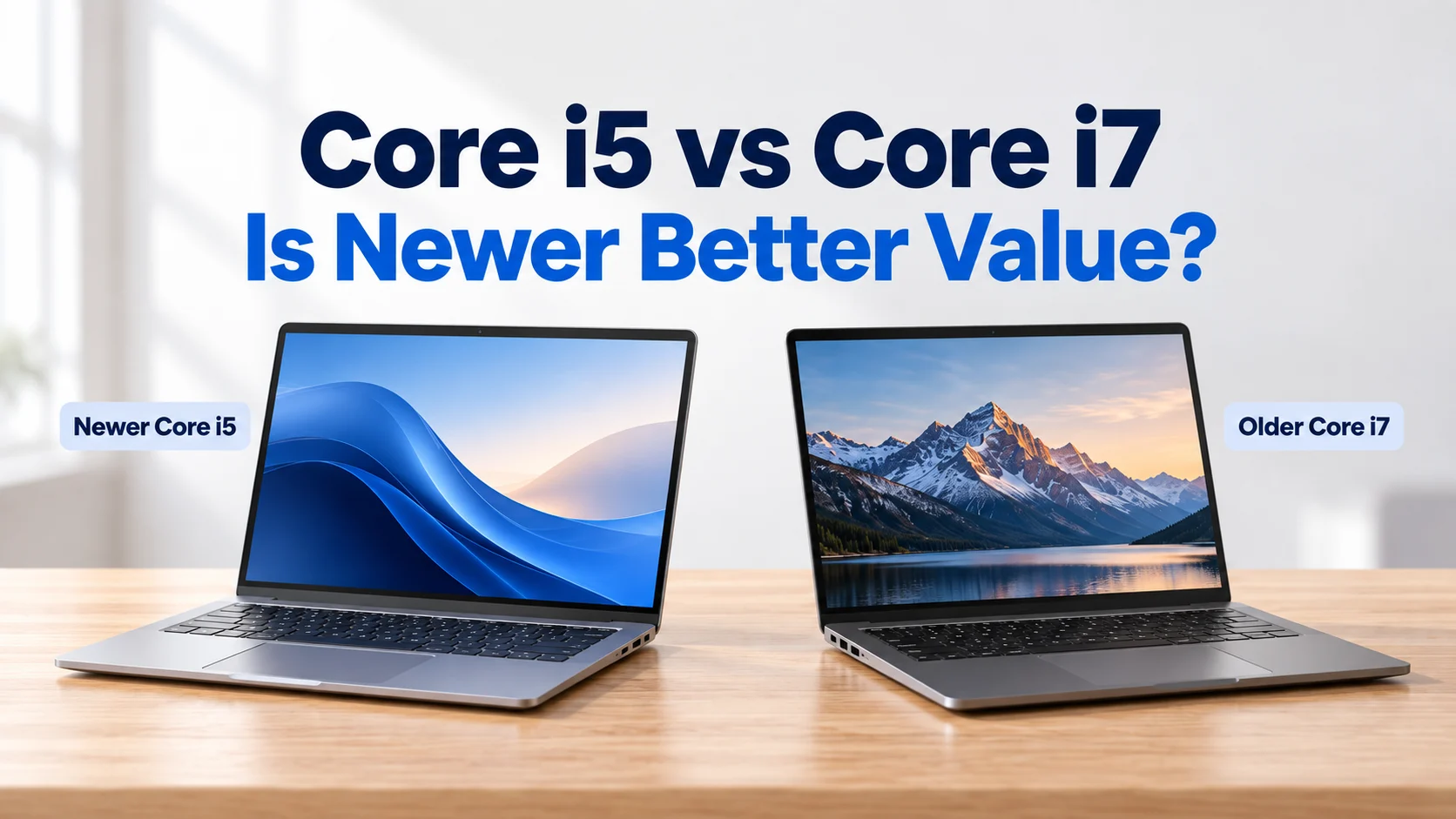
Core i5 vs Core i7 Laptop: Does a Newer Generation Give Better Value?
Stuck between an older Core i7 and a newer Core i5 at the same price? See how to spot the generation in seconds, real laptops compared side by side, and which one to buy.
On this page
- Core i5 vs Core i7 Laptop: Quick Answer
- How to Read a Laptop Processor Name in 10 Seconds
- Find the Generation From the Laptop Model Name
- Older Core i7 vs Newer Core i5: Real Laptops Side by Side
- Core i5 or Core i7: Which Should You Buy?
- Which Generation Does Your Budget Get You?
- Red Flags When a Laptop Advert Says “Core i7”
- Laptops to Compare: Older i7, Newer i5 and Core Ultra
- Questions Buyers Ask About Core i5 vs Core i7
- Not Sure Which One Is Better? Ask Us
Core i5 vs Core i7 Laptop: Quick Answer
Yes, a newer Core i5 usually gives better value than an older Core i7. A 11th or 12th Gen Core i5 is typically smoother in daily use, has much better built-in graphics and better battery life than a 7th or 8th Gen Core i7, often for a similar price.
Compare the generation first, then the RAM, then the price. Choose a Core i7 only when it is a recent generation and your work is heavy, such as video editing, big coding projects or 3D.
You have found two laptops at almost the same price in Nairobi: one says Core i7, the other says Core i5. Most people assume the i7 must be faster. Very often, it is not. This guide shows you how to spot the generation in seconds, compares real laptops side by side, and tells you which one to buy for your work.
- Physical shop in Nairobi CBD
- Warranty on every laptop
- Test before you pay
- M-Pesa and same-day Nairobi delivery
How to Read a Laptop Processor Name in 10 Seconds
Take Intel Core i5-1235U as an example:
| Part | Example | What it tells you |
|---|---|---|
| Tier | i5 | i3 is entry level, i5 is mid-range, i7 is high-end within the same generation |
| Generation | 12 (from 1235) | The first one or two digits after the dash. 8350 = 8th Gen, 1145 = 11th Gen, 1235 = 12th Gen |
| Suffix | U | U = low power for slim laptops with long battery. H/HX = high performance for gaming and heavy work. G7 = stronger Iris Xe graphics |
Swipe or scroll sideways and down to see the full table.
So an i7-8650U is a high-end chip from 2017, while an i5-1235U is a mid-range chip from 2022. Five years of progress usually beats one step up in tier.
Find the Generation From the Laptop Model Name
Most buyers in Nairobi shop by model name, not processor name. Use this table to know the generation instantly.
| HP EliteBook (840, 830, 640) | Dell Latitude (7×00 series) | Lenovo ThinkPad (T-series) | Intel generation |
|---|---|---|---|
| G5 and G6 | 7490, 7390, 7400, 7300 | T480, T490 | 8th Gen |
| G7 | 7410, 7310 | T14 Gen 1 | 10th Gen |
| G8 | 7420, 7320 | T14 / T14s Gen 2 | 11th Gen |
| G9 | 7430, 7330 | T14 / T14s Gen 3 | 12th Gen |
| G10 | 7440, 7340 | T14 / T14s Gen 4 | 13th Gen |
| G11 | 7450, 7350 | T14 / T14s Gen 5 | Core Ultra |
Swipe or scroll sideways and down to see the full table.
AMD versions (such as HP EliteBook 845 or 645 and ThinkPad models with Ryzen) use different chips, so check the exact processor name.
Older Core i7 vs Newer Core i5: Real Laptops Side by Side
Here are three laptops from our current stock that sit close together in price. Notice how the newer Core i5 models pull ahead where it matters day to day.
| EliteBook 840 G5 (Core i7) | EliteBook 840 G8 (Core i5) | EliteBook 830 G9 (Core i5) | |
|---|---|---|---|
| Processor | Core i7 8th Gen (2018) | Core i5-1145G7, 11th Gen (2021) | Core i5-1235U, 12th Gen (2022) |
| Cores / threads | 4 / 8 | 4 / 8 | 10 / 12 |
| Built-in graphics | Intel UHD 620 | Intel Iris Xe (much faster) | Intel Iris Xe (much faster) |
| Memory type | DDR4 | DDR4 (faster) | 16GB DDR5 (fastest) |
| Wi-Fi | Wi-Fi 5 | Wi-Fi 6 | Wi-Fi 6E |
| USB-C | Thunderbolt 3 | Thunderbolt 4 | Thunderbolt 4 |
| Best for | Basic office work on a tight budget | Smoother everyday work, video calls, light editing | Heavy multitasking, faster for years to come |
Swipe or scroll sideways and down to see the full table.
Verdict: the 840 G8 Core i5 beats the older Core i7 for video calls, YouTube, photo edits and battery life thanks to Iris Xe graphics and a newer platform. The 830 G9 Core i5 is in a different league, with 10 cores and DDR5 memory. Unless the price gap is large, choose the newer i5.
Tap any of these laptops in the picks below for today’s price.
Core i5 or Core i7: Which Should You Buy?
| Your situation | Better choice | Why |
|---|---|---|
| Same price: 8th Gen i7 vs 11th Gen i5 | 11th Gen i5 | Smoother daily use, much better graphics and battery life |
| Same generation: i5 vs i7 | i5 for most people | The i7 is only slightly faster for office work. Spend the difference on 16GB RAM or a bigger SSD |
| Office work, school, browsing, Zoom | Newer i5 with 16GB RAM | Plenty of speed at better value |
| Video editing, big coding projects, 3D | Newer i7 with 16GB to 32GB | Heavy work benefits from extra speed and memory |
| Gaming | i5 or i7 H-series with NVIDIA RTX | The graphics card matters far more than i5 or i7 |
Swipe or scroll sideways and down to see the full table.
What Matters as Much as the Processor
- RAM: an i5 with 16GB usually feels faster than an i7 with 8GB when you keep many tabs and apps open.
- SSD: never accept a hard drive (HDD) in a laptop you use daily, whatever the processor.
- Graphics: a Core i7 badge does not mean dedicated graphics. For games and 3D, look for NVIDIA RTX.
- Windows 11: needs Intel 8th Gen or newer. Avoid 7th Gen and older, even if it says i7.
AMD Ryzen buyers: the same rule applies. A newer Ryzen 5 often beats an older Ryzen 7. For Core Ultra and Ryzen comparisons, read Core i5, Core i7 or Core Ultra: which should you buy?
Comparing two laptops right now?
Send us both names or links and what you will use the laptop for. We will tell you honestly which one is the better buy, and you can test both in our Nairobi CBD shop.
- Physical shop in Nairobi CBD
- Warranty on every laptop
- Test before you pay
- M-Pesa and same-day Nairobi delivery
Which Generation Does Your Budget Get You?
| Budget | Typical generation | Good for |
|---|---|---|
| Under KES 30,000 | 8th Gen Core i5 | Documents, browsing, online classes |
| KES 30,000 to 40,000 | 10th to 11th Gen Core i5 | Office work, Zoom, light photo editing |
| KES 40,000 to 55,000 | 11th to 12th Gen Core i5, some with 16GB | Heavy multitasking, long-term use |
| Above KES 55,000 | 12th to 13th Gen Core i7 or Core Ultra | Heavy work, coding, editing, executives |
Swipe or scroll sideways and down to see the full table.
Prices change with stock. For a full budget guide, see the best laptops under KES 50,000.
Red Flags When a Laptop Advert Says “Core i7”
- No generation mentioned: “Core i7, 8GB, 500GB” often hides a 4th to 6th Gen laptop. Ask for the full processor name.
- 500GB or 1TB storage: usually means an old hard drive (HDD), not an SSD.
- HP G1 to G4, Latitude E-series, ThinkPad T460 or older: 4th to 7th Gen, which cannot officially run Windows 11.
- “Core i7 gaming laptop” with no NVIDIA graphics: it will not run modern games well.
- Check it yourself: on the laptop, open Settings, then System, then About to see the real processor and RAM.
Laptops to Compare: Older i7, Newer i5 and Core Ultra
Real examples from our stock, all tested and with a written warranty. Compare them in our shop before you decide.
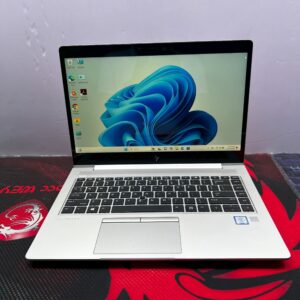 Older i7 for comparison
HP EliteBook 840 G5 (Core i7)
Core i7 8th Gen · 8GB · 256GB SSD · 14-inch FHD
A solid budget office laptop, but older graphics and platform than the newer i5 models.
Refurbished · 6-month warranty
 Newer i5, similar price
HP EliteBook 840 G8 (Core i5)
Core i5-1145G7 11th Gen · Iris Xe · 8GB · 256GB SSD
Smoother video calls, better graphics and battery than the older i7 for about the same money.
Refurbished · 6-month warranty
 12th Gen i5 with 16GB DDR5
HP EliteBook 830 G9
Core i5-1235U · 16GB DDR5 · 256GB SSD · touchscreen
10 cores and fast DDR5 memory in a compact touchscreen laptop. Memory is fixed, so 16GB is a smart start.
Refurbished · 6-month warranty
 Best value all-rounder
HP EliteBook 640 G9
Core i5-1245U 12th Gen · 16GB · 512GB SSD · 14-inch
12th Gen speed, 16GB RAM and 512GB storage: the sweet spot for office work and studies.
Refurbished · 6-month warranty
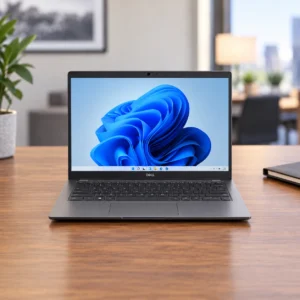 Newer i7 for heavy work
Dell Latitude 7430
Core i7-1265U 12th Gen · 32GB · 512GB SSD · 14-inch FHD
When you really need an i7: 12th Gen with 32GB RAM for heavy multitasking, data and coding.
Refurbished · 6-month warranty
 Core Ultra with AI engine
HP EliteBook 640 G11
Core Ultra 5 · 8GB · 512GB SSD · 14-inch
The newest generation, with an AI engine (NPU) and the strongest built-in graphics in this list.
Refurbished · 6-month warranty
Questions Buyers Ask About Core i5 vs Core i7
Is a Core i7 always faster than a Core i5?
No. Within the same generation an i7 is a little faster, but a newer-generation i5 is often faster than an older i7. Always compare the generation first.
Is an 11th Gen Core i5 better than an 8th Gen Core i7?
For most people, yes. The 11th Gen i5 has much better Iris Xe graphics, faster memory, Wi-Fi 6 and better battery life, so it feels smoother for video calls, browsing, Office and light editing.
How do I know the generation of a laptop?
Look at the digits after the dash: i5-8350U is 8th Gen and i5-1235U is 12th Gen. You can also use the model name, for example HP EliteBook G8 is 11th Gen and G9 is 12th Gen, or check Settings, System, About on the laptop.
Which HP EliteBook generation should I buy?
G8 (11th Gen) or newer gives the best balance of speed, graphics and value. G5 and G6 (8th Gen) are fine on a tight budget. Avoid G4 and older, as they cannot officially run Windows 11.
Should I choose i7 with 8GB or i5 with 16GB RAM?
For most people, the i5 with 16GB RAM. Extra RAM makes multitasking smoother, which you will notice more than the small speed gain of an i7.
Do I need a Core i7 for programming or engineering?
Not for learning or web development, where a newer i5 with 16GB is enough. Choose a newer i7 with 16GB to 32GB for virtual machines, Android emulators, large builds or engineering software.
Is Core Ultra worth the extra money?
Only if you want the newest AI features, the strongest built-in graphics or the longest support. For everyday work, a 12th or 13th Gen Core i5 gives better value.
Not Sure Which One Is Better? Ask Us
Send us the two laptops you are considering and how you will use it. We will compare them honestly, and you can test both in our shop before paying. Pay by M-Pesa, cash, bank transfer or card, with same-day delivery in Nairobi and countrywide delivery across Kenya.
Visit Shop H29, 2nd Floor, Superior Centre, at the junction of Kenyatta Avenue and Kimathi Street, Nairobi CBD. Open Monday to Saturday, 8:00 AM to 7:30 PM. Call +254 720 635 023 or +254 700 827 638.
Sources: Intel processor numbers explained, Microsoft Windows 11 supported processors.