Best Laptops for Teachers in Kenya: 2026 Buying Guide
Choose a teaching laptop around the work you do every week. This guide compares six different Fahavi configurations for lesson preparation, marking, tutorials and research, including larger-screen refurbished options and new laptops. Understand where an upgrade makes sense, which features matter in class and what to include in a complete purchase quotation. Primary focus keyword: laptops for teachers in Kenya
On this page
- Quick Answer: Start With Your Teaching Routine
- Which Laptop Fits Your Working Day?
- Six Laptops for Teachers in Kenya: Our Workload-Based Picks
- Three Things That Matter More Than Another Processor Badge
- Buy the Working Setup, Not Just the Laptop
- Frequently Asked Questions
- Choose for Your Lessons, Your Research and Your Budget
Editorial research: Fahavi Computers Tech Team | Guide researched 14 October 2026
Quick Answer: Start With Your Teaching Routine
Our value pick among these laptops for teachers in Kenya is the refurbished HP EliteBook 850 G6, 16GB/512GB for marking and lesson preparation. Prefer new? Start with the Dell Latitude 3440, adding compatible memory for heavier multitasking. Choose the EliteBook x360 1030 G4 for convertible teaching, or the 32GB EliteBook 650 G9 for a memory-heavy research setup.
A teaching laptop earns its place when it makes ordinary work easier: preparing tomorrow’s lesson, updating marks, sharing a presentation and joining a meeting without closing everything else. Most educators need a balanced machine rather than a gaming specification.
This guide draws on Fahavi’s shop catalogue and compares six configurations for different priorities. Start with the task you do most often, then follow the product links for current prices and availability.
Find a Laptop for My Teaching Work
- Physical shop in Nairobi CBD
- New and refurbished choices
- Written warranty terms
Which Laptop Fits Your Working Day?
For a teacher balancing documents, browser tabs, slides and video meetings, 16GB RAM and a 512GB SSD are sensible buying targets where affordable. An 8GB machine can cover lighter work, but memory is worth prioritising before an expensive processor upgrade.
Choose a 13.3- or 14-inch screen when you move frequently. A 15.6-inch model gives more physical workspace for marking, spreadsheets and reading at a desk. Neither size is automatically better: choose for how you carry and use it.
Swipe or scroll sideways to view every column.
| Your priority | Starting specification | Shortlist choice | Reason to choose it | Step up when |
|---|---|---|---|---|
| Marking and lesson preparation on a careful budget | 16GB RAM, 512GB SSD | EliteBook 850 G6, refurbished | Larger screen and ready-installed memory | You need a newer platform or specialist software |
| A new, compact teaching laptop | 8GB for light work; target 16GB for multitasking | Latitude 3440, new | 14-inch format and 512GB storage | Frequent calls run alongside several applications |
| Small-group tutorials and touch navigation | 16GB RAM, convertible touchscreen | EliteBook x360 1030 G4, refurbished | Screen folds for different teaching positions | You store many recorded lessons |
| A new laptop with a larger screen | 512GB SSD; add memory as needed | HP 250 G10, new | 15.6-inch Full HD workspace | 8GB becomes restrictive |
| Coding instruction and CPU-focused academic work | Compatible 16GB+ upgrade recommended | ThinkBook 14 G6, new | Core i7-13700H platform with expansion options | Your application needs more memory or dedicated graphics |
| Research multitasking and larger local files | 32GB RAM, 1TB SSD | EliteBook 650 G9, refurbished | More installed memory and storage | Simulation or GPU workloads demand another class of machine |
Six Laptops for Teachers in Kenya: Our Workload-Based Picks
1. HP EliteBook 850 G6: Value for Marking and Preparation

- Core i7-8565U
- 16GB RAM and 512GB SSD
- 15.6-inch Full HD display
Our refurbished value choice is for the educator who wants usable memory and a larger screen without moving to a premium new laptop. It is a practical starting point for documents, presentations and ordinary administration.
The trade-off is an older platform and a larger footprint in your bag. Buy it with a supported operating-system setup and a battery condition report. Its appeal here is the complete configuration, not the Core i7 label alone.
Refurbished | 6-Month Fahavi Warranty.
View Today’s EliteBook 850 Price2. Dell Latitude 3440: A Compact New Starting Point
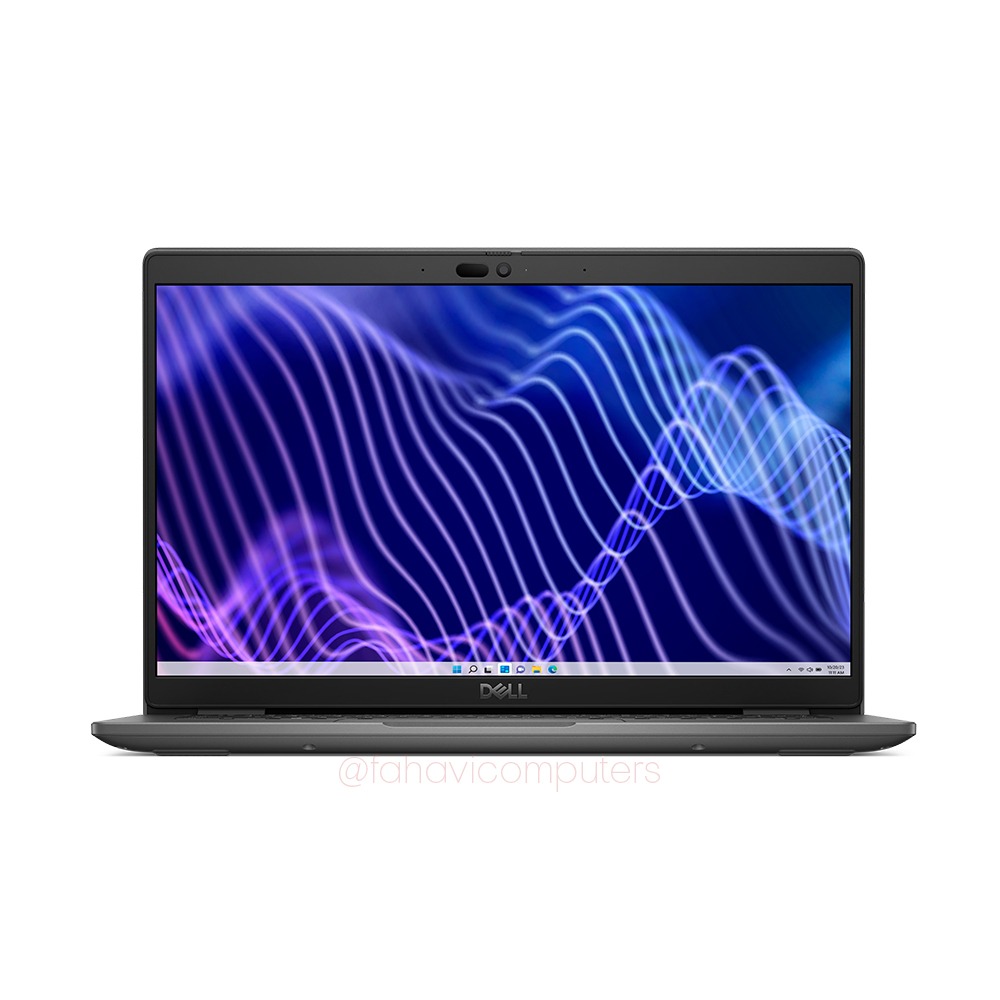
- 13th-generation Intel Core i5 configuration
- 8GB RAM and 512GB SSD
- 14-inch Full HD display
Choose this if new condition and a manageable screen size matter more than a high-end processor badge. It is our starting point for lighter teaching tasks and a sensible candidate for a compatible memory upgrade.
The supplied listing is 8GB, not 16GB. For regular online classes alongside documents and browser tabs, request a 16GB quotation before comparing the final purchase. The listing states one-year coverage; confirm the exact processor and written warranty on your order.
View Today’s Latitude 3440 Price3. HP EliteBook x360 1030 G4: Flexible Tutorial Teaching

- Core i7-8665U
- 16GB RAM and 256GB SSD
- 13.3-inch Full HD touchscreen with a 360-degree hinge
Choose the x360 for touch navigation, shared viewing and folded presentation positions during tutorials. It offers a different teaching tool from a conventional laptop, particularly when you work with small groups.
It is less spacious for side-by-side marking, and 256GB is modest for video archives. The installed memory is fixed. If you want handwritten annotation, arrange a demonstration with a compatible pen and confirm whether it is included.
Refurbished | 6-Month Fahavi Warranty.
View Today’s x360 Price4. HP 250 G10: A New Larger-Screen Option

- Core i5-1334U
- 8GB RAM and 512GB SSD
- 15.6-inch Full HD display
Choose this when you want a new laptop and prefer a physically larger screen for lesson documents, spreadsheets and reading. It is a straightforward alternative to buying a compact laptop and immediately needing an external screen.
The larger body is less convenient for frequent movement between rooms. Like the Dell, the listed unit has 8GB memory: budget for a suitable upgrade if multitasking is central to your day. The listing states a one-year warranty.
View Today’s HP 250 Price5. Lenovo ThinkBook 14 G6: A Platform to Build Around

- Core i7-13700H
- 8GB RAM and 512GB SSD as listed
- 14-inch WUXGA display
Shortlist this for coding instruction and CPU-focused academic work when you plan an appropriate memory configuration. Its H-series processor makes it worth comparing for such tasks, but the supplied 8GB limits the balance of the system.
Our recommendation is to price it with a compatible 16GB or larger upgrade before ordering for heavier work. Lenovo’s official platform document lists two memory slots. Do not treat a proposed upgrade as already installed. Listed new-unit coverage is one year.
View the ThinkBook and Discuss Memory6. HP EliteBook 650 G9: More Memory for Research
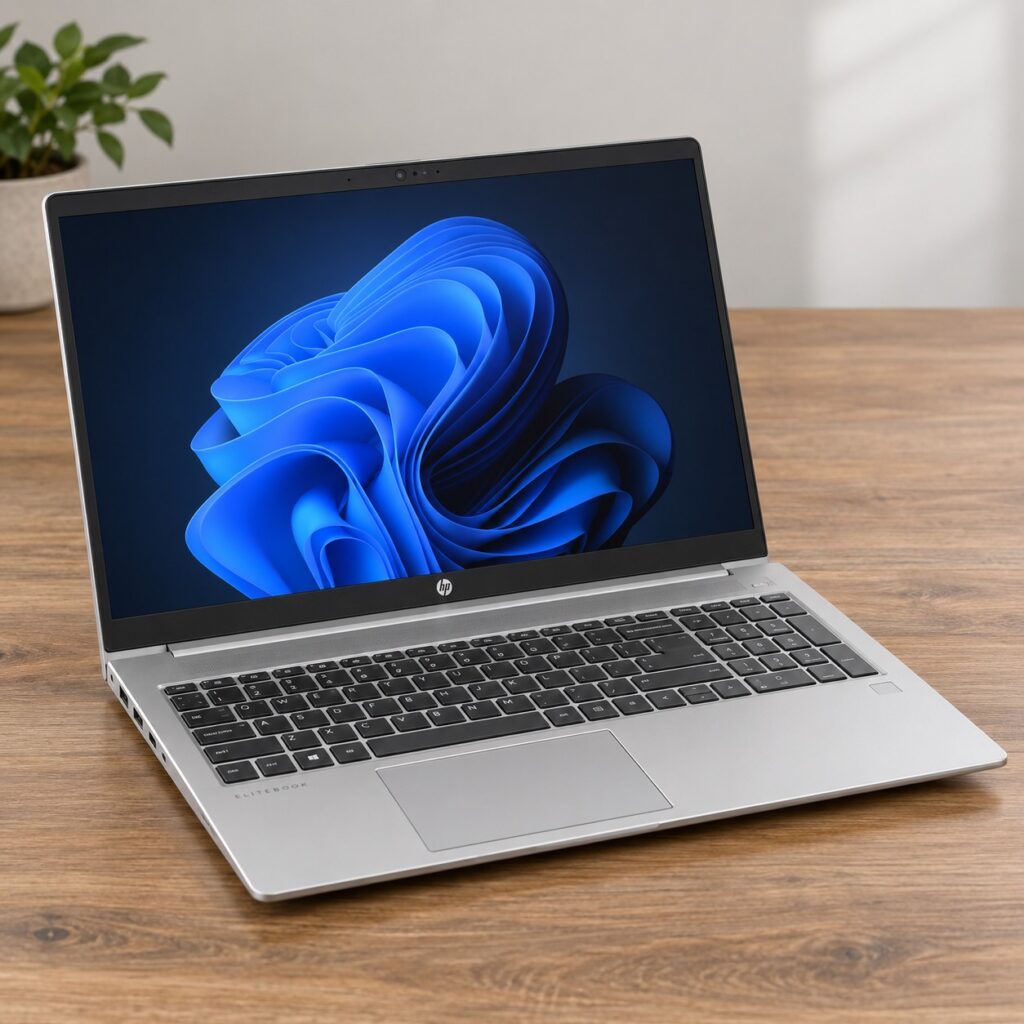
- 12th-generation Core i7 configuration
- 32GB RAM and 1TB NVMe SSD
- 15.6-inch Full HD display
Choose this when you already know that ordinary teaching specifications leave too little memory or storage. It is our shortlist option for research multitasking, larger local libraries and compatible analytical work that benefits from more RAM.
It is unnecessary for lesson notes alone. Integrated graphics also mean this is not a universal recommendation for 3D simulation or GPU-heavy research. Match the application to the hardware before treating additional memory as the complete solution.
Refurbished | 6-Month Fahavi Warranty.
View Today’s 32GB EliteBook PriceThree Things That Matter More Than Another Processor Badge
A Connection That Works With Your Classroom
Find out what your usual projector accepts before buying a hub. HDMI, older VGA equipment and wireless presentation systems require different solutions. A USB-C connector alone does not confirm that a port supports video output.
For a shared classroom, keep a suitable adapter with your laptop rather than assuming one will be available. Test slides, video and sound before teaching. Browse Fahavi’s shop for relevant accessories after confirming compatibility.
Clear Online Teaching, Not Just a Fast Laptop
A working webcam, understandable microphone and stable internet connection are essential for online classes. In a shared staffroom or home, a headset can be more useful than extra processor performance. Put the camera at a sensible height and avoid a bright window behind you.
Use 16GB memory as a practical target for video meetings alongside teaching material. For recorded lessons, allow room for source files and exports. Keep a separate backup rather than filling the internal SSD with the only copy of your work.
Comfort During Marking and Preparation
Try the keyboard and adjust text scaling before deciding that a screen is too small. A larger display helps some educators, while others prefer a compact laptop paired with an external monitor at home.
Battery condition deserves attention when moving between rooms or during power interruptions. Ask about the supplied unit rather than relying on a generic runtime claim. Download essential materials where allowed, save regularly and plan a backup connection for live classes.
Buy the Working Setup, Not Just the Laptop
Compare final configurations fairly. An 8GB new laptop plus an upgrade is a different purchase from the advertised base unit. Ask for the total configuration, warranty and supplied accessories in writing before choosing between new and refurbished.
Fahavi checks laptops before sale, including battery, charger, screen, keyboard, ports, storage, memory, operating system and general functionality. For refurbished units, request the battery report and correct charger. For sealed new stock, agree any unboxing or setup before collection.
Request a supported operating system. Microsoft’s Windows lifecycle guidance confirms standard Windows 10 support ended in October 2025. Older hardware should be assessed for a supported setup rather than sold on the appearance of a familiar desktop.
Ask your school or university about eligible education software plans. Access and included applications vary; installed Office is not proof of a transferable licence. Keep student records in institution-approved locations and secure your accounts.
Teaching a specialist subject does not automatically require a gaming laptop. Name the application and typical project when discussing CAD, virtual machines or statistics software. For processor comparisons, read Fahavi’s Core i5 versus Core i7 guide.
Frequently Asked Questions
Which laptop should I start with for everyday teaching?
Start with the 16GB EliteBook 850 G6 if refurbished condition and a larger screen suit you. For a compact new option, compare the Latitude 3440 with a suitable memory upgrade.
Is 8GB RAM enough for online teaching?
It can handle a lighter session, but choose 16GB for regular calls alongside several applications. The Latitude 3440 listing starts at 8GB, so request the upgrade separately.
Do I need a touchscreen?
No for ordinary slides and typing. Choose touch and a convertible hinge when they support your tutorials or demonstrations. The EliteBook x360 is the relevant option here.
Which option gives me a new laptop with a larger screen?
The HP 250 G10 is our 15.6-inch new option. Its listed 8GB memory suits lighter work; compare an upgrade for heavier multitasking.
Is the ThinkBook supplied with 16GB RAM?
No. The linked ThinkBook is listed with 8GB. Our recommendation for heavier work includes pricing a compatible upgrade, not assuming it is already fitted.
Do lecturers need 32GB RAM?
Not for ordinary marking and presentations. Choose more memory when the research workload justifies it. The 32GB EliteBook 650 G9 is a configuration to compare for that need.
What should I send Fahavi for a useful quotation?
Send your budget, main applications, preferred screen size and new/refurbished preference. Add the projector connection if known. WhatsApp Fahavi for a quotation matched to those details.
Choose for Your Lessons, Your Research and Your Budget
The best laptops for teachers in Kenya do not all look alike. A larger refurbished EliteBook, a compact new Dell and a convertible x360 solve different problems. Start with the tasks you perform every week, then spend on the memory, screen and connections that make those tasks easier.
Visit the shop, order online or contact Fahavi Computers for availability before purchasing.