Business Tech Setup in Kenya: What New Businesses Should Buy First
Starting a business and not sure which tech to buy first? Here is a simple, step-by-step plan so your money goes to what actually keeps your business running.

On this page
- Quick Answer: What Should a New Business Buy First?
- Step 1: One Reliable Computer
- Step 2: Internet You Can Depend On
- Step 3: Back Up Your Business Files
- Step 4: A Printer, Only If You Need One
- Step 5: Add As You Grow
- Mistakes New Businesses Often Make
- Starter Essentials to Consider
- Questions Buyers Ask
- Get Help Choosing
When you start a business, every shilling counts. It is tempting to buy everything at once, or to buy the cheapest option and replace it a few months later. Both waste money.
This guide gives you a simple order to buy in, so the tech that keeps your business running comes first and the nice-to-haves wait until you are earning.
Quick Answer: What Should a New Business Buy First?
Start with one reliable laptop, a stable internet connection with a backup, and a way to back up your files. Add a printer only if you print often, and add extra screens, desktops and Wi-Fi access points as your team grows. A refurbished business laptop is usually the best-value first computer for a new business.
Setting up a new business? Tell us your type of business, how many people will work there and your budget, and we will put together a starter setup for you.
- ✔ Physical shop in Nairobi CBD
- ✔ Warranty on every product
- ✔ Test before you pay
- ✔ M-Pesa, same-day Nairobi delivery
Step 1: One Reliable Computer
Your first computer will handle invoices, emails, KRA iTax, M-Pesa statements, social media and customer records. Reliability matters more than raw power.
- Most new businesses: a refurbished business laptop with a Core i5 (10th Gen or newer), 8GB to 16GB RAM and an SSD. It is portable for client meetings and tough enough for daily use.
- A shop counter or reception: a compact business desktop with a monitor can cost less and is harder to steal or knock over.
- Design, video or photography businesses: budget for a more powerful laptop or a MacBook from the start.
Step 2: Internet You Can Depend On
If your internet goes down, many businesses stop: no M-Pesa confirmation emails, no online orders, no WhatsApp Business. Plan for a backup.
- Main connection: home or office fibre from a local provider, with a good Wi-Fi router.
- Backup: a 4G MiFi or your phone’s hotspot for when fibre is down.
- Remote or rural locations: Starlink can give fast internet where fibre does not reach.
Step 3: Back Up Your Business Files
A stolen laptop or a failed drive can wipe out your customer list, invoices and records in a second. Protect them early:
- Keep important files in Google Drive or OneDrive so they sync automatically.
- Make a weekly copy to an external hard drive and keep it in a different place from the laptop.
Step 4: A Printer, Only If You Need One
Many new businesses print less than they expect. If you do need one, choose by what you print:
| You mostly print… | Choose | Why |
|---|---|---|
| A few colour documents, photos or flyers | Ink tank printer (Canon G-series, Epson EcoTank) | Very low cost per page, refillable ink bottles |
| Many black-and-white invoices, receipts and contracts | Mono laser printer | Fast, sharp text, toner lasts long |
| Documents you also need to scan and copy | Multifunction (MFP) model | Print, scan and copy in one machine |
Setting up a new business? Tell us your type of business, how many people will work there and your budget, and we will put together a starter setup for you.
- ✔ Physical shop in Nairobi CBD
- ✔ Warranty on every product
- ✔ Test before you pay
- ✔ M-Pesa, same-day Nairobi delivery
Step 5: Add As You Grow
- A second monitor: boosts productivity for accounting, design and admin work.
- More computers: add desktops for staff who work at one desk, laptops for staff who move.
- Office Wi-Fi access points: once you have several people, a business access point gives stable Wi-Fi across the office.
- Software: Microsoft 365 or Google Workspace for professional email and shared files.
Mistakes New Businesses Often Make
- Buying the cheapest laptop with a hard drive (HDD) and 4GB RAM, then replacing it within a year.
- Having no backup until a laptop is stolen.
- Buying an expensive printer for a business that prints a few pages a week.
- Relying on one internet connection with no backup.
- Not keeping receipts and warranties together.
Starter Essentials to Consider
Shop These Picks
 First business laptop
HP EliteBook 640 G9
Core i5 12th Gen · 16GB · 512GB SSD · 14-inch
Refurbished · 6-month warranty
 Compact counter desktop
HP EliteDesk 800 G5 Mini
Core i5 9th Gen · 8GB · 256GB SSD · tiny footprint
Refurbished · 6-month warranty
 Backup internet
TP-Link M7200 4G MiFi
4G LTE · battery powered · share with several devices
New · 1-year warranty
 Back up your files
Transcend 2TB External Drive
2TB · USB 3.1 · shock-resistant
New · 1-year warranty
 Low-cost colour printing
Canon PIXMA G3410
Ink tank · print, scan, copy · Wi-Fi
New · 1-year warranty
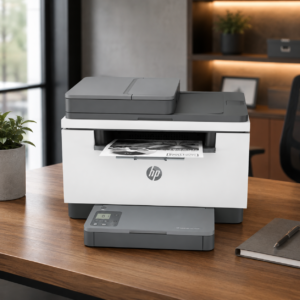 Busy office printing
HP LaserJet MFP M236sdn
Mono laser · print, scan, copy · duplex · ADF
New · 1-year warranty
Questions Buyers Ask
What is the most important tech for a new business?
A reliable computer, dependable internet with a backup, and a way to back up your files. Everything else can be added as you grow.
Should a new business buy a laptop or a desktop?
A laptop if you meet clients or work from different places. A desktop if the computer stays at a counter or reception. Many businesses start with one good laptop.
Is a refurbished laptop good for a business?
Yes. Refurbished business laptops like HP EliteBook and Dell Latitude are built for office use and give excellent value. Make sure it comes with a warranty.
Which printer is cheapest to run for a small business?
For colour and light use, an ink tank printer such as Canon G-series or Epson EcoTank has a very low cost per page. For lots of black-and-white documents, a mono laser printer is best.
How should a small business back up its files?
Use Google Drive or OneDrive for automatic syncing, and make a weekly copy to an external hard drive kept somewhere safe.
Can I pay for business equipment with M-Pesa?
Yes. You can pay by M-Pesa, cash, bank transfer or card, and we deliver the same day within Nairobi and countrywide.
Do you help set up the equipment?
Yes. Ask us and we can set up your laptop, email and printer before collection or delivery.
Get Help Choosing
Tell us your type of business, how many people will use the equipment and your budget. We will suggest a starter setup and what can wait until later.
- Visit: Shop H29, 2nd Floor, Superior Centre, at the junction of Kenyatta Avenue and Kimathi Street, Nairobi CBD.
- Opening hours: Monday to Saturday, 8:00 AM to 7:30 PM.
- WhatsApp or call: +254 720 635 023
- Shop online: browse products and today’s prices