Used Laptop Nairobi Guide: What to Check Before You Pay
Found a used laptop on Jiji, Facebook or from a friend? Run through this simple checklist before you hand over any money, so you do not inherit someone else's problem.

On this page
A used laptop can be a great deal. It can also be a stolen machine, a laptop locked to a company, or one with a failing battery or hard drive the seller “forgot” to mention. Once you have paid, it is usually very hard to get your money back.
Use this guide before buying from Jiji, Facebook Marketplace, a WhatsApp group or a friend of a friend.
Quick Answer: What Should You Check Before Buying a Used Laptop?
Check that the specs match the advert, the battery holds a charge, the screen, keyboard, ports, Wi-Fi and camera work, Windows is activated, there is no BIOS or company lock, and the seller can show proof of ownership. Test it for at least 15 minutes, plugged in and unplugged. If the seller refuses any of these checks, walk away.
Prefer to skip the risk? Every refurbished laptop we sell is tested and comes with a 6-month warranty. Tell us your budget and we will suggest options.
- ✔ Physical shop in Nairobi CBD
- ✔ Warranty on every product
- ✔ Test before you pay
- ✔ M-Pesa, same-day Nairobi delivery
Before You Meet the Seller
- Ask for the exact model and specs, then search the model online so you know the original processor, RAM and screen.
- Compare prices. A price far below similar laptops is a warning sign, not a bargain.
- Ask why they are selling and whether they have the original receipt or box.
- Meet in a safe public place with power sockets, such as a mall or a busy café. Never go to an isolated location, and avoid carrying large amounts of cash.
The 15-Minute Used Laptop Checklist
- Specs: open Settings, then System, then About. Confirm the processor, RAM and Windows version match what you were told.
- Storage: open File Explorer, then This PC. Check the drive size, and make sure it is an SSD, not an old hard drive.
- Battery: unplug the charger and use the laptop for 10 minutes. If the percentage drops very fast, the battery is worn. On Windows you can also create a battery report.
- Screen: open a white page and look for dead pixels, lines, dark spots or yellow patches.
- Keyboard and touchpad: type every letter and number, and test clicking and scrolling.
- Ports: plug in a flash drive in every USB port, and test the charger port for a loose connection.
- Wi-Fi, camera, microphone and speakers: connect to your phone hotspot and make a quick video call.
- Windows activation: go to Settings, System, Activation and check it says Windows is activated.
- Heat and noise: after 15 minutes, the laptop should not be burning hot or extremely loud.
- Hinges and body: open and close the lid. It should feel firm, with no cracks around the hinges.
Hidden Problems That Catch Buyers Out
BIOS Passwords and Company Locks
Many ex-office laptops have a BIOS password or are enrolled in a company management system. Restart the laptop and try entering the BIOS (often by pressing F2, F10 or Esc). If it asks for a password, do not buy it. Also watch for a screen saying the device is managed by an organisation during setup.
Stolen Laptops
Ask for proof of ownership, such as a receipt or the original box with a matching serial number. Check the serial number on the bottom of the laptop matches the one in the system. A seller in a hurry who cannot explain where the laptop came from is a red flag.
Fake Specs
Some sellers change the laptop’s name or stickers to look like a higher model. Always confirm the specs inside Windows, not from stickers or the advert.
Prefer to skip the risk? Every refurbished laptop we sell is tested and comes with a 6-month warranty. Tell us your budget and we will suggest options.
- ✔ Physical shop in Nairobi CBD
- ✔ Warranty on every product
- ✔ Test before you pay
- ✔ M-Pesa, same-day Nairobi delivery
Used vs Refurbished: Which Is Safer?
| Used from an individual | Refurbished from a shop | |
|---|---|---|
| Testing | Usually none | Inspected and tested before sale |
| Warranty | None | Written warranty (6 months at Fahavi) |
| Ownership risk | Possible stolen or locked laptop | Legitimate stock with a receipt |
| Price | Can be lower | Fair, with support if something goes wrong |
If the price difference is small, the warranty and peace of mind of a refurbished laptop are usually worth it.
Tested Alternatives With a Warranty
Shop These Picks
 Budget touchscreen
Lenovo ThinkPad T480
Core i5-8350U · 8GB · 256GB SSD · 14-inch FHD touch
Refurbished · 6-month warranty
 Slim and reliable
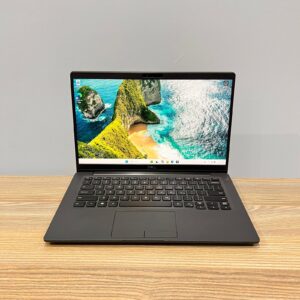
Dell Latitude 7400
Core i5 8th Gen · 8GB · 256GB SSD · 14-inch FHD
Refurbished · 6-month warranty
 Everyday office laptop
HP EliteBook 840 G7
Core i5 10th Gen · 8GB · 256GB SSD · 14-inch FHD
Refurbished · 6-month warranty
 16GB for multitasking
Dell Latitude 3420
Core i5-1135G7 · 16GB · 256GB SSD · 14-inch FHD
Refurbished · 6-month warranty
 Compact premium
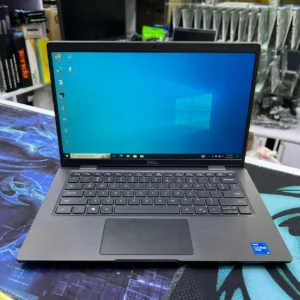
Dell Latitude 7320
Core i5-1145G7 · 16GB · 512GB SSD · 13.3-inch FHD
Refurbished · 6-month warranty
Questions Buyers Ask
Is it safe to buy a used laptop in Nairobi?
It can be, if you test it thoroughly, confirm ownership and meet in a safe public place. The risk is that there is usually no warranty if something fails later.
How do I check a used laptop battery?
Unplug it and use it for 10 to 15 minutes. If the charge drops very quickly, the battery is worn. On Windows you can also generate a battery report that shows its remaining capacity.
What is a BIOS password and why does it matter?
It is a lock set by a previous owner or company. If a used laptop asks for a BIOS password, you may not be able to reset or repair it. Do not buy it.
How can I tell if a laptop is stolen?
Ask for a receipt or original box with a matching serial number, and check the serial number in the system matches the label. Be wary of rushed sellers with no proof.
Should I buy used or refurbished?
If the price difference is small, refurbished is safer because the laptop is tested and comes with a warranty.
What specs should a used laptop have in 2026?
At least a Core i5 8th Gen, 8GB RAM and an SSD, so it can run Windows 11 and feel fast.
Can Fahavi check a laptop I want to buy?
Bring it to our shop in Nairobi CBD and talk to us. We can advise on its condition and value.
Get Help Choosing
If you would rather avoid the risks of buying used, tell us your budget. We will suggest tested laptops with a warranty and explain the condition of each one.
- Visit: Shop H29, 2nd Floor, Superior Centre, at the junction of Kenyatta Avenue and Kimathi Street, Nairobi CBD.
- Opening hours: Monday to Saturday, 8:00 AM to 7:30 PM.
- WhatsApp or call: +254 720 635 023
- Shop online: browse products and today’s prices