The Best Computer Setup for a Small Office in Kenya
A practical guide to equipping a small office in Kenya: the right mix of desktops and laptops, screens, shared printing, Wi-Fi and backup for a team that just works.

On this page
- Quick Answer: What Is the Best Computer Setup for a Small Office?
- Desktops or Laptops for Your Team?
- What Specs Do Office Computers Need?
- Monitors: The Cheapest Productivity Boost
- One Good Shared Printer
- Wi-Fi and Network
- Backup and Security
- Equipment for a Small Office
- Questions Buyers Ask
- Get Help Choosing
A good office setup is one your team never has to think about. Computers start quickly, the printer just works, Wi-Fi reaches every desk and files are safe. A bad setup costs you hours every week in waiting, restarting and calling for help.
This guide is for offices with roughly 3 to 15 people: law firms, clinics, schools, agencies, SACCOs and growing SMEs.
Quick Answer: What Is the Best Computer Setup for a Small Office?
Give staff who stay at one desk a compact business desktop with an SSD, 8GB to 16GB RAM and a 24-inch Full HD monitor. Give staff who move a business laptop with a docking-friendly USB-C port. Share one multifunction laser printer, use business-grade Wi-Fi, and back up files automatically. Refurbished business desktops and laptops from HP, Dell and Lenovo give the best value for most small offices.
Equipping an office? Tell us how many staff you have and what they do, and we will put together a complete setup with a single quotation.
- ✔ Physical shop in Nairobi CBD
- ✔ Warranty on every product
- ✔ Test before you pay
- ✔ M-Pesa, same-day Nairobi delivery
Desktops or Laptops for Your Team?
| Role | Best choice | Why |
|---|---|---|
| Reception, accounts, admin | Compact business desktop + monitor | Cheaper for the same power, harder to lose, easy to upgrade |
| Managers, sales, field staff | Business laptop | Works in meetings, at home and on the road |
| Design, video, engineering | Workstation or laptop with dedicated graphics | Heavy software needs extra power |
What Specs Do Office Computers Need?
- Processor: Core i5 8th Gen or newer (needed for Windows 11).
- RAM: 8GB for typing, email and browsing. 16GB for accounting software, big Excel files and staff who keep many apps open.
- Storage: always an SSD. An old hard drive is the number one reason office computers feel slow. If a desktop comes with a hard drive, ask for an SSD upgrade.
- Size: “Mini” or “Micro” desktops are the size of a book and can mount behind the monitor, freeing desk space.
Monitors: The Cheapest Productivity Boost
A 24-inch Full HD IPS monitor makes spreadsheets, documents and systems easier to read and reduces eye strain. For accounts and admin staff, two monitors side by side can save a lot of time switching between windows. Laptop users benefit from a monitor at their desk too.
One Good Shared Printer
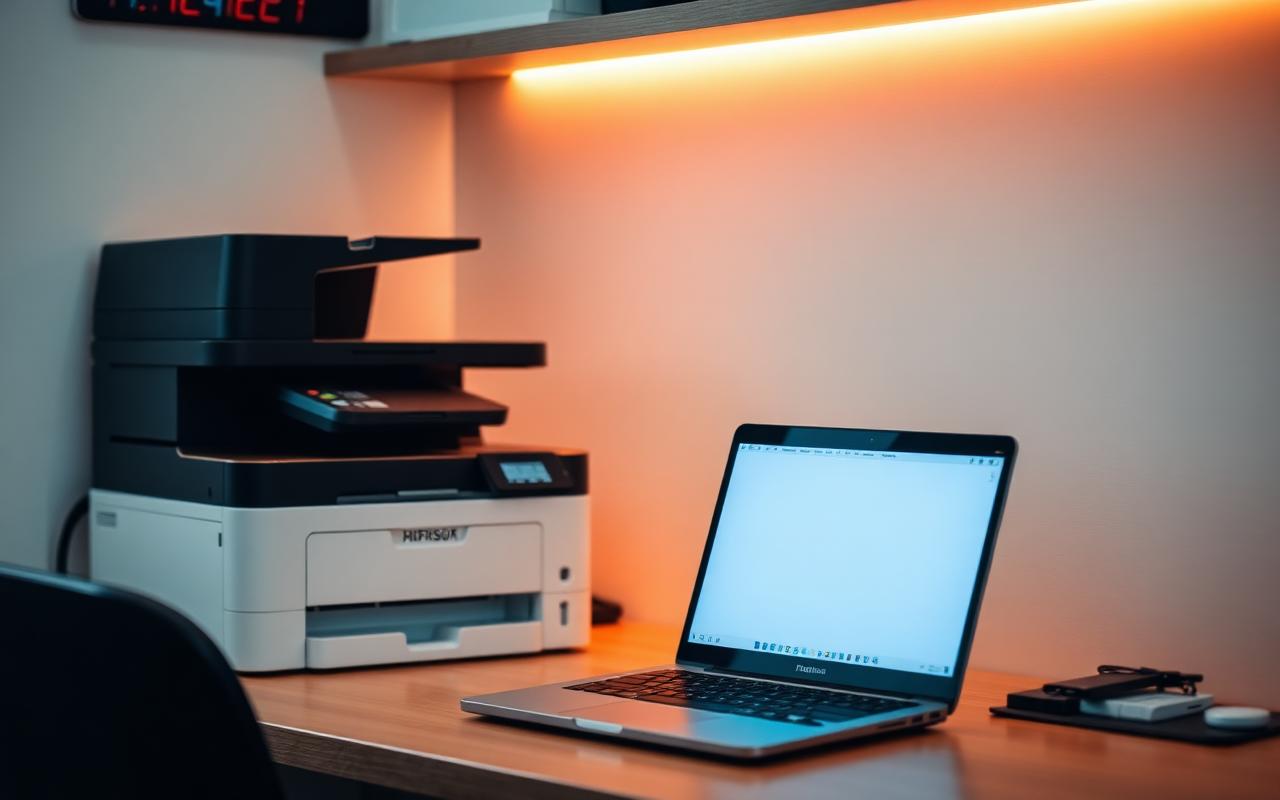
Instead of a cheap printer on every desk, most offices are better served by one network multifunction laser printer that everyone prints to over Wi-Fi or cable. Look for:
- Print, scan and copy (MFP)
- Automatic two-sided printing (duplex) to save paper
- An automatic document feeder (ADF) for scanning multi-page documents
- Wi-Fi or network (Ethernet) connection
Add a small ink tank printer only if you print colour regularly.
Equipping an office? Tell us how many staff you have and what they do, and we will put together a complete setup with a single quotation.
- ✔ Physical shop in Nairobi CBD
- ✔ Warranty on every product
- ✔ Test before you pay
- ✔ M-Pesa, same-day Nairobi delivery
Wi-Fi and Network
- Up to about 5 people in one room: a good router from your internet provider is often enough.
- More people or several rooms: a business Wi-Fi access point (such as Ubiquiti UniFi) gives stronger, more stable coverage and handles many devices at once.
- Fixed desks: network cables give the most reliable connection for desktops and printers.
- Backup internet: keep a 4G MiFi for outages.
Backup and Security
- Use Microsoft 365 (OneDrive) or Google Workspace so files are saved in the cloud and shared easily.
- Keep a weekly backup on an external drive stored away from the office computers.
- Use a password or fingerprint login on every computer, and keep Windows updated.
- Protect desktops and the router with a UPS or surge protector against Kenya Power outages and surges.
Equipment for a Small Office
Shop These Picks
 Desk staff computer
HP EliteDesk 800 G5 Mini
Core i5 9th Gen · 8GB · 256GB SSD · mini size
Refurbished · 6-month warranty
 Clear, comfortable screen
Dell P2419H 24-inch Monitor
23.8-inch Full HD IPS · adjustable stand
Used · 6-month warranty
 Laptop for managers
HP EliteBook 640 G9
Core i5 12th Gen · 16GB · 512GB SSD · USB-C
Refurbished · 6-month warranty
 Shared office printer
HP LaserJet MFP (Wi-Fi, Duplex)
Mono laser · print, scan, copy · 29ppm · Wi-Fi
New · 1-year warranty
 Office-wide Wi-Fi
Ubiquiti UniFi U7 Long-Range
Wi-Fi 7 access point · many devices at once
New · 1-year warranty

Questions Buyers Ask
Are desktops or laptops better for an office?
Desktops are better value for staff who work at one desk. Laptops suit staff who attend meetings, travel or work from home. Most offices use a mix.
How much RAM does an office computer need?
8GB is enough for email, documents and browsing. 16GB is better for accounting software, large Excel files and heavy multitasking.
Are refurbished desktops good for offices?
Yes. Refurbished HP EliteDesk, ProDesk and Dell OptiPlex desktops are built for offices and are very reliable. Choose one with an SSD.
What printer is best for a small office?
A network multifunction laser printer with duplex and an automatic document feeder suits most offices. Add an ink tank printer if you print colour often.
How do I get Wi-Fi to every room in my office?
Use one or more business access points such as Ubiquiti UniFi, connected by cable to your router, for strong and stable coverage.
Can you supply and set up a whole office?
Yes. Tell us your staff number and needs, and we will give a single quotation and can set up the computers and printer for you.
Do office computers come with a warranty?
Yes. Refurbished computers come with a 6-month warranty and new equipment with a 1-year warranty.
Get Help Choosing
Tell us how many staff you have, what they do and your budget. We will recommend the right mix of computers, screens, printing and Wi-Fi in one quotation.
- Visit: Shop H29, 2nd Floor, Superior Centre, at the junction of Kenyatta Avenue and Kimathi Street, Nairobi CBD.
- Opening hours: Monday to Saturday, 8:00 AM to 7:30 PM.
- WhatsApp or call: +254 720 635 023
- Shop online: browse products and today’s prices