Tech Tips

HP OmniBook Kenya 2026 Naming Guide

HP has changed how it names many consumer laptops, moving from familiar names like Pavilion, ENVY and Spectre toward the simpler OmniBook family. This guide explains what the shift means for Kenyan buyers comparing HP laptops in Nairobi, especially students, office users, creators and business buyers.

By Fahavi Team · 19 min read
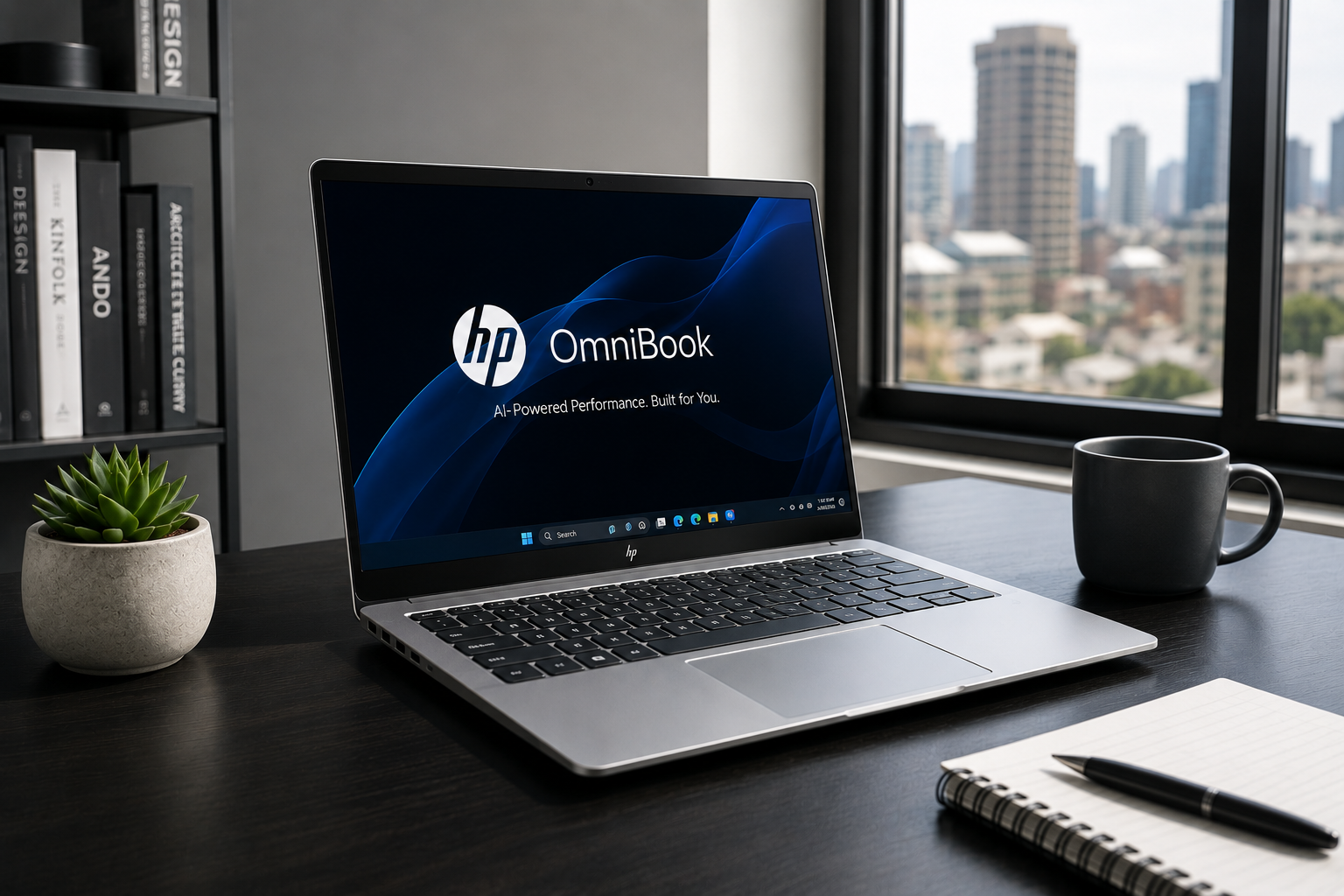
HP OmniBook Kenya guide explaining how Pavilion, ENVY and Spectre changed, what the new names mean, and how Nairobi buyers should choose.
On this page
  1. HP OmniBook Kenya 2026: What Replaced Spectre, ENVY and Pavilion?
  2. What is HP OmniBook Kenya buyers should know about?
  3. Which HP laptop names changed under OmniBook?
  4. How does the HP OmniBook naming structure work?
  5. HP OmniBook Kenya buying guide: which model fits your work?
  6. The bitter truth about HP’s new OmniBook names
  7. Why Fahavi Computers helps with HP laptop naming Kenya confusion
  8. Frequently Asked Questions
  9. Conclusion

HP OmniBook Kenya 2026: What Replaced Spectre, ENVY and Pavilion?

HP OmniBook Kenya buyers need to understand one major change: HP has simplified many of its consumer laptop names. The older Pavilion, ENVY and Spectre names are being replaced by the OmniBook family. Instead of jumping between several familiar names, buyers will now see models such as HP OmniBook 3, OmniBook 5, OmniBook 7, OmniBook X, OmniBook Ultra and OmniBook Flip.

This does not mean every old HP laptop suddenly became outdated. A good Pavilion, ENVY or Spectre can still be useful if the specs, condition and warranty are right. The change mainly affects how new HP consumer laptops are named and positioned. For Kenyan buyers, the real question is not whether the laptop says Pavilion, Spectre or OmniBook. The real question is whether it fits your work, budget, software and support needs.

Fahavi Computers in Nairobi CBD helps buyers compare HP laptops, including older Pavilion, ENVY and Spectre models alongside newer OmniBook options. Fahavi Computers stocks laptops, desktops, printers, accessories, networking products and ICT solutions for students, professionals, SMEs and corporate buyers across Kenya.

What is HP OmniBook Kenya buyers should know about?

HP OmniBook is HP’s simplified consumer laptop family, created to reduce confusion across its previous Pavilion, ENVY and Spectre naming structure. In simple terms, OmniBook is now the main name many buyers will see when shopping for new HP consumer laptops.

For years, HP buyers had to understand several names. Pavilion usually pointed to mainstream personal use. ENVY sat higher, often for premium everyday and creative buyers. Spectre was HP’s premium consumer line, known for slim design, better build and high-end features. That structure worked for people who already understood HP. It was not always clear for normal buyers walking into a shop.

Now HP is moving toward a clearer family. OmniBook is the laptop name. OmniStudio is for all-in-one desktops. OmniDesk is for traditional desktops. For business buyers, HP continues with commercial names like EliteBook and ProBook. OMEN remains the gaming name.

Why did HP change the naming?

HP changed the naming because laptop buying had become too confusing. Buyers were seeing too many names, too many processor labels, too many AI labels, and too many product families. The new structure is meant to make the range easier to understand.

For a Kenyan buyer, this matters because names influence buying decisions. Many people hear “Spectre” and assume premium. They hear “Pavilion” and assume entry level. They hear “ENVY” and assume stylish. Those assumptions are not always enough. Specs, generation, RAM, SSD, display, battery, warranty and use case still matter.

The OmniBook name is supposed to make the family simpler. But simpler naming does not remove the need to check the actual laptop.

Is OmniBook a new brand or an old name returning?

OmniBook is not a completely new name. HP used the OmniBook name many years ago and has now brought it back for the modern consumer laptop range. The difference is that the new OmniBook line is built around current buyer needs such as portability, battery life, AI features, hybrid work, creative work and everyday productivity.

This is important because some buyers may think OmniBook is a strange new line with no history. It is better understood as HP reorganizing its consumer laptop names under one cleaner umbrella.

Does HP OmniBook replace all HP laptops?

No. HP OmniBook does not replace all HP laptops. It mainly affects HP’s consumer PC naming. Business laptops such as HP EliteBook and HP ProBook remain separate. Gaming laptops under OMEN also continue.

For Kenyan buyers, this distinction matters. If you are buying for school, home, creative work or personal productivity, you may see OmniBook more often. If you are buying for corporate work, office deployment, procurement or professional business use, EliteBook and ProBook will still be relevant. If you are buying for gaming, OMEN remains the main HP gaming family.

Which HP laptop names changed under OmniBook?

The main shift is that familiar consumer names such as Pavilion, ENVY and Spectre are being folded into the OmniBook structure. The exact model you should buy depends on the tier, specs and form factor, not just the old name it replaces.

This is where many buyers get confused. They want a direct answer like “OmniBook X is the new ENVY” or “OmniBook Ultra is the new Spectre.” That can help as a rough guide, but it should not be treated as a perfect one-to-one replacement for every old model in every market.

HP Pavilion replacement: where does Pavilion fit now?

Pavilion was one of HP’s most familiar consumer laptop names. In Kenya, many buyers know Pavilion because it has been common for students, families and everyday users. Under the newer structure, mainstream consumer laptops are now more likely to appear under the OmniBook name.

If you previously wanted an HP Pavilion, you should now look at entry and mainstream OmniBook options. These are the laptops aimed at normal productivity, school work, browsing, documents, online learning, entertainment and light office work.

A buyer moving from Pavilion should check:

  • Processor generation and model.
  • RAM size, with 8GB as a practical minimum for serious daily work.
  • SSD storage, preferably 256GB or higher.
  • Screen size and resolution.
  • Battery life expectations.
  • Keyboard comfort.
  • Warranty and support.
  • Whether the laptop is new, refurbished or ex UK.

Do not buy only because the old Pavilion name is familiar. The newer OmniBook model may be better, but only if the specifications fit your work.

HP ENVY replacement: where does ENVY fit now?

HP ENVY was known as a more premium consumer line than Pavilion. Many ENVY laptops targeted users who wanted better design, stronger displays, slim bodies, touchscreens or creative flexibility without going all the way to the highest Spectre tier.

Under the OmniBook structure, buyers looking for an ENVY-style laptop should look closely at higher OmniBook tiers such as OmniBook 7 or OmniBook X, depending on availability and configuration. These models are more likely to serve students with higher budgets, creators, professionals and users who want stronger performance with a refined design.

An ENVY-style buyer should focus on:

  • Display quality, especially if doing design or content work.
  • Processor power for multitasking or creative apps.
  • RAM, preferably 16GB or higher for heavier work.
  • SSD storage, preferably 512GB or higher for creators.
  • Portability and battery life.
  • Touchscreen or convertible design where needed.
  • Build quality and keyboard comfort.

If your work is serious, do not buy only because the laptop looks beautiful. Beauty does not edit videos, handle spreadsheets or save your battery during a long day in Nairobi traffic.

HP Spectre replacement: where does Spectre fit now?

HP Spectre was HP’s premium consumer laptop name. Many buyers associated it with slim design, high-end build, premium displays, x360 convertibles and stronger features. Under the new naming, buyers looking for a Spectre-style machine should pay attention to OmniBook Ultra and premium OmniBook Flip models.

The Spectre buyer is usually not shopping for the cheapest laptop. They want a polished machine for professional, executive, creative or high-end personal use. That buyer should focus less on the old name and more on whether the new OmniBook option offers the same level of quality, performance and display experience.

A Spectre-style buyer should check:

  • Whether the laptop is OmniBook Ultra or another premium OmniBook tier.
  • Processor class, such as Intel Core Ultra, AMD Ryzen AI or Snapdragon options where available.
  • RAM and SSD capacity.
  • OLED or high-resolution display options.
  • Battery life.
  • Weight and portability.
  • Whether the model is standard, Flip or another form factor.
  • Warranty and after-sale support in Kenya.

A buyer who loved Spectre because of premium design should not automatically assume every OmniBook has the same feel. OmniBook is a family. The tier matters.

What is HP OmniBook Flip?

HP OmniBook Flip refers to convertible models that follow the old x360 idea. These laptops have a 360-degree hinge, allowing laptop mode, tablet mode, tent mode and presentation-style use. If someone says “OmniBook Pivot,” they may be describing HP’s naming shift, but the actual convertible branding to look for is Flip.

This matters because many Nairobi buyers search for x360 laptops. They may not know that HP is now using Flip naming for some of these convertible models. If you want a touchscreen laptop that folds all the way back, check whether the model says Flip or whether the hinge is clearly described as 360-degree.

How does the HP OmniBook naming structure work?

The HP OmniBook naming structure uses one main consumer laptop family, then separates models by numbers, letters and form factors. Higher tiers generally point to stronger design, features or performance, but buyers still need to check the actual specifications.

This is the part that can help buyers most. Once you understand the structure, you can compare faster.

What do OmniBook 3, 5 and 7 mean?

OmniBook numbers help show where a laptop sits in the range. The lower numbers are generally closer to everyday and mainstream use. Higher numbers are usually stronger, more refined or more capable.

A simple buyer interpretation is:

  • OmniBook 3 is for basic everyday productivity and budget-conscious buyers.
  • OmniBook 5 is for students, families and general users who want better balance.
  • OmniBook 7 is for stronger productivity, better features and more demanding everyday work.
  • OmniBook X is for premium ultraportable and AI-focused users.
  • OmniBook Ultra is for HP’s highest consumer performance and premium experience.

This is not a substitute for checking specs. It is only a starting point.

What does OmniBook X mean?

OmniBook X is positioned as a premium consumer laptop tier, often linked to AI PC features, portable performance and newer processor platforms. It is aimed at users who want more than basic productivity. That includes professionals, creators, students with higher budgets and buyers who want newer technology.

In Kenya, an OmniBook X buyer should ask practical questions before paying:

  • Does the processor platform support the software I use?
  • Is the RAM enough for my work?
  • Is the storage enough for my files?
  • Are my apps compatible, especially on Snapdragon-based models?
  • Does the battery life fit my daily movement?
  • Are the ports enough, or will I need adapters?
  • What warranty and support apply locally?

AI branding is useful only when the laptop still handles your normal work well.

What does OmniBook Ultra mean?

OmniBook Ultra is the premium end of HP’s consumer OmniBook range. This is where buyers looking for a Spectre-like experience should pay attention. It targets users who want stronger performance, premium materials, better screens and a more refined daily experience.

An OmniBook Ultra may make sense for:

  • Executives.
  • Creators.
  • Developers.
  • Heavy multitaskers.
  • Professionals who travel often.
  • Buyers who want premium display and build quality.
  • Users who want a high-end Windows alternative to other premium laptops.

It is not the right choice for every buyer. If your work is basic typing, browsing and online classes, an OmniBook Ultra may be more than you need.

Why naming still does not replace specifications

A laptop name can guide you, but specifications decide the actual experience. Two HP OmniBook laptops can have different processors, RAM, storage, screens and battery performance. One may be perfect for a student. Another may be better for a creator.

Always check:

  • Exact processor model.
  • RAM size.
  • Storage size and type.
  • Screen size and panel quality.
  • Battery claims and real usage expectations.
  • Ports.
  • Webcam.
  • Build quality.
  • Warranty.
  • Price in KES.

That is where the real buying decision happens.

HP OmniBook Kenya buying guide: which model fits your work?

HP OmniBook Kenya buyers should choose by workload first, then budget, then form factor. A student, office worker, creator, executive and home user do not need the same laptop. Buying by name alone is how people overspend or underbuy.

The best HP laptop is not the newest name. It is the one that handles your daily work without forcing unnecessary compromises.

Best OmniBook direction for students

Students need laptops for assignments, research, online classes, presentations, notes, browsing and sometimes course-specific software. A student does not always need the most premium machine. They need reliability, portability and enough speed.

A student should consider:

  • OmniBook 3 or 5 for normal school work and budget-sensitive buying.
  • OmniBook 7 if the student needs stronger performance or better build.
  • At least 8GB RAM for normal multitasking.
  • SSD storage for fast startup and app loading.
  • A working webcam and microphone for online classes.
  • Good battery life for campus use.
  • A comfortable keyboard for long typing sessions.

Students in design, engineering, IT, statistics, architecture or media should check software requirements before buying. Some courses need more RAM, stronger graphics or Windows-specific software.

Best OmniBook direction for office and business users

Office users need a laptop that handles documents, spreadsheets, email, meetings, PDFs, online systems, customer records and presentations. They should care about keyboard comfort, ports, warranty and performance stability.

For many office users, OmniBook 5 or 7 may be enough. Executives and heavier multitaskers may look toward OmniBook X or Ultra. But businesses should also compare EliteBook and ProBook because those are HP’s commercial ranges.

A business buyer should check:

  • Whether the laptop is consumer or commercial class.
  • Whether Windows 11 Pro is needed.
  • Whether the laptop has HDMI, USB-A, USB-C or docking support.
  • Whether RAM and storage match the workload.
  • Whether the warranty suits business use.
  • Whether accessories such as printers, monitors and docks will work.

If the laptop is for company deployment, do not ignore EliteBook and ProBook. OmniBook is strong for consumer and professional personal use, but commercial laptops may suit office procurement better.

Best OmniBook direction for creators

Creators should not buy blindly. Photo editing, video editing, design, podcasting and content production need more than a nice-looking laptop. Screen quality, RAM, SSD capacity and processor performance matter.

Creators should consider higher OmniBook tiers depending on budget. OmniBook 7, X or Ultra may make more sense than entry options. A creator doing short social media edits does not need the same machine as a wedding videographer editing large 4K projects.

A creator should check:

  • 16GB RAM or higher where possible.
  • 512GB SSD or higher for project storage.
  • Good display quality.
  • External monitor support.
  • Processor performance under long workloads.
  • Whether dedicated graphics are needed.
  • Port selection for drives, cameras and adapters.

If you create content for clients, do not buy a laptop that delays delivery. Slow machines cost time, and time is money.

Best OmniBook direction for home users

Home users need a laptop for browsing, school work, entertainment, printing, documents, video calls and general family use. They should not overpay for features they will not use.

A home buyer should consider:

  • OmniBook 3 or 5 for general use.
  • 8GB RAM minimum.
  • SSD storage.
  • Good battery life.
  • Full HD screen where possible.
  • Webcam and speakers.
  • Compatibility with home printer and Wi-Fi.
  • Warranty and support.

For homes in areas with regular power interruptions, battery life matters. A laptop that dies quickly when unplugged will frustrate the whole family.

The bitter truth about HP’s new OmniBook names

The bitter truth is that simpler naming does not automatically make buying easy. OmniBook is cleaner than Pavilion, ENVY and Spectre, but a buyer can still make the wrong choice if they only follow the name. A laptop called OmniBook can still be too weak, too expensive, too limited or simply wrong for your work.

Some buyers will hear “OmniBook” and assume every model is premium. That is false. OmniBook is a family with different tiers. Others will see older Pavilion, ENVY or Spectre models and assume they are outdated. That is also false. A well-specced Spectre or ENVY can still be a better machine than a lower-tier new laptop.

Names guide you. Specs decide.

Do not buy the new name just because it is new

New naming can make a laptop feel fresher than it is. Do not let that pressure you. A good buyer checks the actual hardware.

Before paying, confirm:

  • Processor model and generation.
  • RAM size.
  • SSD capacity.
  • Display quality.
  • Battery performance.
  • Ports.
  • Weight.
  • Warranty.
  • Price in KES.
  • Whether it fits your work.

A laptop with a new name and weak specs is still a weak laptop.

Do not reject Pavilion, ENVY or Spectre too quickly

Older names are not automatically bad. Many HP Pavilion, ENVY and Spectre laptops remain useful if they have strong enough specifications and are in good condition. This matters especially in Kenya, where buyers often compare new, refurbished and ex UK laptops.

A clean HP Spectre x360 with strong specs may still serve a professional well. A good ENVY may still suit a creator or student. A Pavilion with SSD and enough RAM may still handle normal school and office work.

The key is condition, specs and support. Not just the name.

AI PC branding should not distract you from normal work

Many newer HP OmniBook models are built around AI PC features. That can be useful, especially for camera effects, productivity tools, battery optimization and future software features. But do not buy only because the word AI appears on the box.

Ask first whether the laptop handles your normal work:

  • Does it run your office apps?
  • Does it open your files quickly?
  • Does it support your printer or scanner?
  • Does it have enough RAM?
  • Does it have enough storage?
  • Does the battery fit your routine?
  • Does the warranty make sense?
  • Is the price fair compared to alternatives?

AI features are extra value. They should not replace the basics.

Why Fahavi Computers helps with HP laptop naming Kenya confusion

Fahavi Computers helps with HP laptop naming Kenya confusion by comparing the actual laptop against the buyer’s work, not just the name on the lid. That matters because HP’s new naming can confuse buyers who were used to Pavilion, ENVY and Spectre.

Fahavi Computers is based in Nairobi CBD and serves both walk-in and online buyers across Kenya. Fahavi Computers stocks laptops, desktops, printers, monitors, accessories, networking products, UPS options and ICT solutions. Buyers can visit Fahavi Computers to check available products and contact the shop before buying.

Fahavi Computers helps buyers compare old and new HP names

A buyer may walk in asking for Pavilion. Another may ask for Spectre. Another may ask for OmniBook. All three may simply need a laptop for school, office work, design, business or content creation. The job should decide the recommendation.

Fahavi Computers helps buyers compare:

  • Older HP Pavilion models.
  • HP ENVY and ENVY x360 options.
  • HP Spectre and Spectre x360 options.
  • Newer HP OmniBook options.
  • HP EliteBook and ProBook business laptops.
  • HP OMEN gaming laptops.
  • Refurbished, ex UK and new laptop options.

This helps buyers avoid confusion and choose based on performance, budget and support.

Why local Nairobi support matters

Buying an HP laptop in Kenya is not only about specs. It is also about warranty, charger, accessories, software setup, repairs, delivery and after-sale guidance. A buyer in Nairobi CBD, Westlands, Kilimani, Kasarani, Thika Road, Rongai or Kiambu wants a machine that works in local conditions.

Fahavi Computers understands common Kenyan buyer concerns. Students want value. SMEs want reliability. Corporate buyers want consistency. Creators want performance. Home users want low stress. Gamers want graphics and cooling. Those needs cannot be solved by naming alone.

What to ask before buying an HP OmniBook in Nairobi

Before buying an HP OmniBook Nairobi option, go in with clear questions. This makes the recommendation sharper and prevents waste.

Ask these questions:

  1. Which OmniBook tier is this?
  2. What older HP line is it closest to in purpose?
  3. What is the exact processor model?
  4. How much RAM does it have?
  5. How much SSD storage does it have?
  6. Is it a standard laptop or a Flip convertible?
  7. Does it have touchscreen?
  8. Does it support my work software?
  9. What warranty applies?
  10. What accessories do I need?

A good computer shop should answer clearly. If the answer is vague, slow down before paying.

Frequently Asked Questions

What is HP OmniBook in Kenya?

HP OmniBook is HP’s newer consumer laptop family that brings many Pavilion, ENVY and Spectre-style laptops under one simpler naming structure. In Kenya, buyers will see OmniBook models for school, home, professional, creative and premium personal use. The exact model still needs to be judged by specs, price, warranty and workload.

Is HP Pavilion discontinued or replaced by OmniBook?

HP has moved many consumer laptops away from the Pavilion name toward the OmniBook family. That does not mean every existing Pavilion laptop is useless or unsupported. A good Pavilion can still be worth buying if the condition, processor, RAM, SSD, screen and warranty are right.

What replaced HP Spectre laptops?

HP Spectre-style premium consumer laptops are now closest to higher OmniBook tiers, especially OmniBook Ultra and some premium OmniBook Flip models. Buyers who liked Spectre should check build quality, display, RAM, SSD, processor and convertible features before choosing. Fahavi Computers can help compare Spectre, ENVY and OmniBook options in Nairobi.

What is the difference between HP OmniBook and HP EliteBook?

HP OmniBook is mainly for consumer and personal productivity users, while HP EliteBook is part of HP’s commercial business laptop range. OmniBook is suitable for many students, home users, creators and professionals. EliteBook is often better for corporate buyers, office deployment, business security and professional work environments.

Should I buy HP OmniBook or an older HP ENVY in Kenya?

Buy HP OmniBook if you want a newer HP consumer model with the latest naming, newer platform options and current features. Buy an older HP ENVY only if the specs, condition, screen, battery, warranty and price make sense. The better choice depends on the actual unit, not the name alone.

Where can I buy HP OmniBook in Nairobi CBD?

You can check HP OmniBook and other HP laptop options through Fahavi Computers in Nairobi CBD. Fahavi Computers helps buyers compare HP OmniBook, Pavilion, ENVY, Spectre, EliteBook and ProBook options based on work, budget, condition and support. Visit Fahavi Computers’ website to check available products or contact Fahavi Computers before buying.

Conclusion

HP OmniBook Kenya buyers should understand the naming shift before comparing laptops. Pavilion, ENVY and Spectre are being replaced by a simpler OmniBook family, but the right purchase still depends on specs, workload, warranty and price.

For help comparing HP OmniBook Nairobi options, older HP Pavilion replacement choices, HP Spectre replacement models or business HP laptops, visit Fahavi Computers or contact Fahavi Computers in Nairobi CBD. The name helps you start the search, but the right laptop is the one that fits your work.

Was this article helpful?
Thanks for the feedback!

You Might Also Like

View all articles