

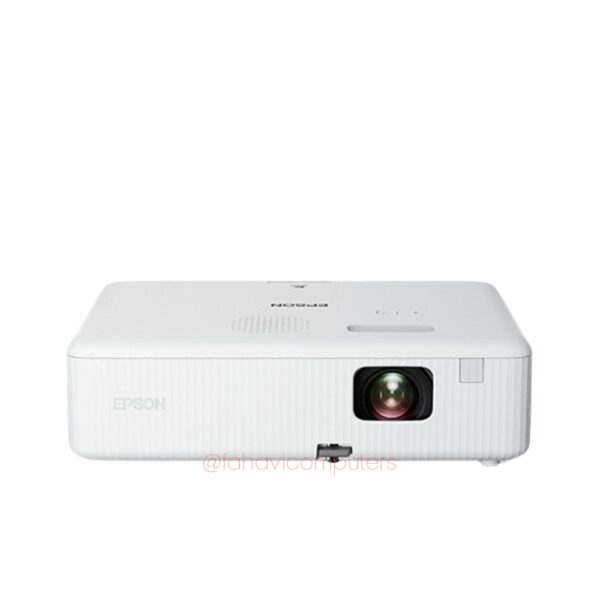
Epson CO-FH02 Full HD 1080p projector with 3000 lumens
In stock
- Same-day delivery within Nairobi
- Pay via M-Pesa, Bank or Cash
- 100% Genuine product
EPSON CO-FH02 | FULL HD 1080P PROJECTOR | 3000 LUMENS | 3LCD | SMART PROJECTOR
The Epson CO-FH02 is a practical Full HD projector for buyers who need a bright, clear and reliable screen solution for home entertainment, office meetings, church presentations, classrooms, training rooms and small business use.
Its Full HD 1080p resolution gives sharper detail than basic HD projectors, making it better for slides, videos, text, spreadsheets, lessons and movie viewing. The 3000 lumens brightness helps the image stay visible in normal indoor lighting, while Epson 3LCD technology produces strong colour output without the dull look common in some entry-level projectors.
This projector is also a good choice for customers who want a large screen experience without buying a large TV. It can project a wide image for movie nights, presentations, training sessions or worship display setups, depending on the room size and projection distance.
The Epson CO-FH02 is a strong option when you need a projector that is simple to set up, easy to move, and suitable for both professional and entertainment use.
Specifications
- Condition
- New
- Brightness
- 3000 Lumens
- Resolution
- Full HD 1080p
FAQ
Does the Epson CO-FH02 support smart features?
Epson CO-FH02 packages include smart features through Android TV and Chromecast support.
Does the Epson CO-FH02 show sharp text?
Yes. Because it is a Full HD 1080p projector, text appears sharper than on lower-resolution projectors. This makes it useful for PowerPoint slides, spreadsheets, school notes, business training and church lyrics.
Is the Epson CO-FH02 good for office presentations?
Yes. The Epson CO-FH02 is a good choice for office presentations because it offers Full HD 1080p resolution and 3000 lumens brightness, which helps slides, text and charts appear clearer.
Does the Epson CO-FH02 need external speakers?
It has a built-in speaker, but for larger rooms, churches, training halls or movie nights, an external speaker may give a better experience. The built-in speaker is useful for basic use, but sound expectations should match the room size
Does it need a projector screen, or can I use a wall?
You can project on a plain white wall, but a proper projector screen gives better brightness, contrast and cleaner edges. If the projector is for business, school, church or paid presentations, a screen is usually the better long-term choice.
Can I connect it to a laptop?
Yes, it can be used with a laptop, but confirm the exact ports available on the unit before purchase. Most buyers will need HDMI, and some may need adapters depending on whether the laptop has USB-C, HDMI or another display output.
Related products
-

-
Save 4%
 Epson Epson Ecotank L5290 A4 Wi Fi | All-in-One Printer | Ink Tank Print/Scan/Copy | Wi-Fi, Wi-Fi DirectPrintKSh 49,000
KSh 51,000Save KSh 2,000 -
 Epson Epson Perfection V39Ii Color Photo And Document Flatbed | All-in-One Printer | Printer Print/Scan | Wi-Fi + USBHigh resolution 4800dpi scanning Produce high-quality photo and document scans; Power and connectivity via Micro USB No need for mains powered ac adapter or separate power cable; Integrated stand for upright scanning Save space on your desk or counter top; Four one-touch buttons Quick scanning to make regular repetitive scanning tasks easier; Clever software Ensure the best quality scans and store and share your photos online; Vibrant Color Reproduction: ensures that your scanned documents and photos retain their vivid colors and intricate details.KSh 17,000
 -
Save 4%
 Epson Epson CO-W01 WXGA 3LCD projector 3000 lumensNew3000 LumensWXGAKSh 50,000
KSh 52,000Save KSh 2,000